Full Page Screenshot
Automatically scroll and stitch a long webpage into one continuous screenshot, including content below the fold.
Screenshot Chrome Extension
Capture full webpages or responsive layouts for free. Visible screen, selected area and responsive layouts are free too. Then annotate, blur, pixelate, compare, create review reports and export as WebP, PNG or professional PDF, with screenshot processing designed to stay on your computer.
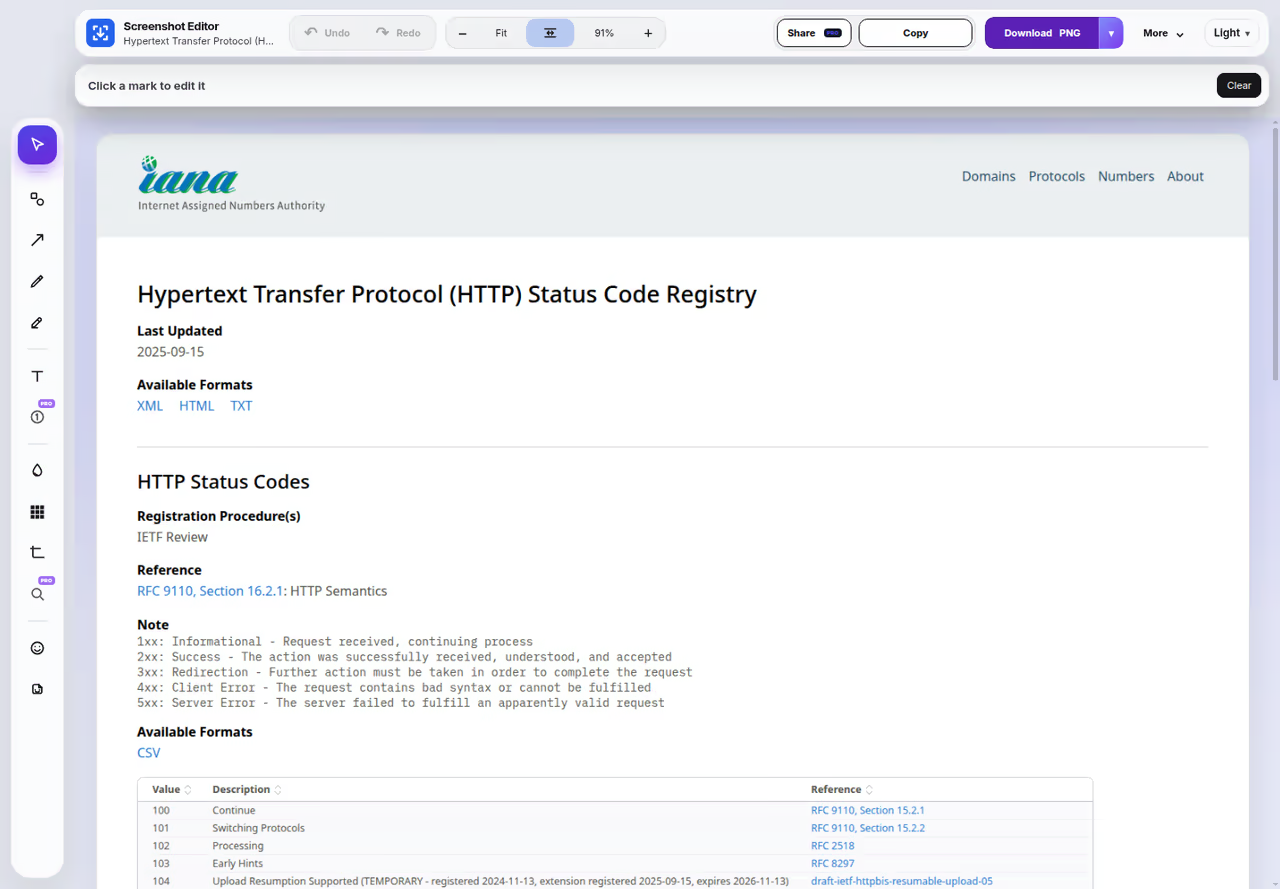
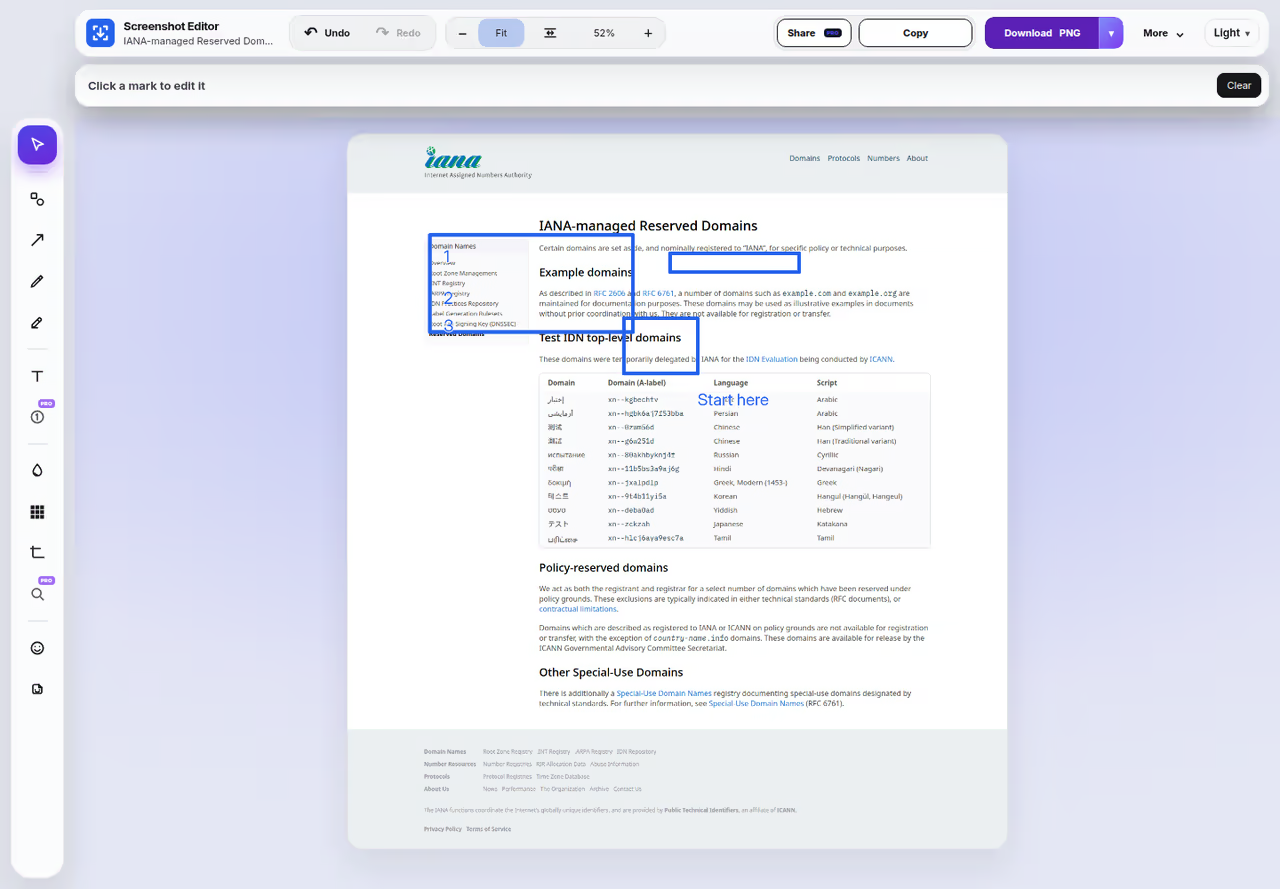
Inside the extension
These are screenshots of the Capture interface. In version 5.10.7, Record is in More: This tab, Window, or Screen. Recordings stay on your computer.

Capture exactly what you need
Capture combines the core screenshot modes people expect with editing, privacy, responsive testing, comparison and professional review workflows in one lightweight Chrome extension.
Automatically scroll and stitch a long webpage into one continuous screenshot, including content below the fold.
Capture exactly what is visible in the current browser viewport when you only need the on-screen state.
Drag over a specific region and capture only that part of the page for faster focused feedback.
Free presets are 1440, 1280, 768, 430, 390 and 360. Custom viewport sizes are Pro.
Add arrows, boxes, circles, highlights, pen marks and text without opening another app. Numbered callouts are Pro.
Blur or pixelate sensitive information before sharing. Normal editing is designed to happen locally on your computer.
Copy directly to the clipboard or save PNG, JPG, or WebP. PDF reports are Pro.
Version 5.10.7 records This tab, a window, or the screen. Recordings stay on your computer. Free is up to 5 minutes at up to 1080p. Pro has no time limit and can ask for 1440p or 4K when the shared screen is that large.
For real review work
Capture is designed not just to make an image, but to help developers, designers, QA teams, support teams and clients understand what changed and what needs attention.
Compare two versions of the same page using reveal and side-by-side views.
Highlight changed regions and review how much of the page visually changed between versions.
Turn annotated screenshots and numbered callouts into structured professional reports with notes, priorities and branding.
Combine several screenshots from one project into a single client or QA review document.
Export long screenshots and issue notes into readable paginated PDF reports instead of shrinking everything onto one page.
Present screenshots in clean laptop, tablet or phone frames when a polished client presentation is useful.
Why choose Capture?
Use the free core tools without being forced into a cloud workflow.
Upgrade to Pro when you need organization, comparison, reporting and advanced presentation workflows.
Normal capture, stitching, annotation, blur, pixelate and local export are designed to run on your computer. Screenshot image content does not need to be uploaded to RATdeck just to use these core workflows. Account and subscription communication is separate from the screenshot itself.
Chrome screenshot extension guide
A useful Chrome screenshot extension should handle a normal visible screenshot, but it should also capture content below the fold. Full-page capture is especially important for long landing pages, dashboards, admin panels, reports and documentation.
Sometimes a full-page image is unnecessary. Selected-area capture lets you isolate one component, form, card or error state instead of creating a large file.
Copying a screenshot into another application just to add one arrow or blur an email address adds friction. Capture keeps markup tools directly inside the extension workflow.
Screenshot tools often contain customer data, internal dashboards, contact details or account information. Blur and pixelate are useful privacy-masking tools, while highly sensitive secrets should be fully covered, removed or cropped before sharing.
For professional work, capture is only the first step. Responsive viewport capture, before/after comparison, visual differences, numbered callouts, metadata and review reports make a screenshot far more useful as evidence.
Capture is designed so normal screenshot image processing can stay local. This reduces unnecessary transfer of webpage images to a remote service just to crop, annotate, copy or export them.
Screenshot Chrome Extension FAQ
The right extension depends on your workflow. Capture by RATdeck combines full-page, responsive, visible-area and selected-area capture with annotation, privacy tools, responsive capture, comparison, review reports and professional export in one local-first workflow.
Yes. Full Page mode automatically moves through the webpage and stitches the captured regions into one continuous long screenshot.
Yes. Select Area is a free mode that captures the rectangular region you draw.
Yes. The built-in editor supports arrows, shapes, highlights, pen, formatted text, blur, pixelate, numbered callouts, crop, undo and redo.
Normal capture, stitching, annotation and local export are designed to happen on your computer. Account, subscription and entitlement checks are separate and do not require uploading the screenshot image itself.
Yes. Capture includes responsive screenshots, before/after comparison, visual difference detection, numbered review callouts, metadata, multi-screenshot reports and professional PDF output.
Yes. Capture supports image export and professional PDF workflows. Screenshot capture is free, and Copy Image is unlimited for Free users.
The Chrome extension is designed for desktop Chrome and compatible desktop Chromium browsers. Mobile Chrome does not support installing regular Chrome extensions in the same way desktop Chrome does.

Capture by RATdeck
One Chrome extension for screenshots, annotation, privacy, responsive testing and professional review.
Each Capture page has one clear purpose, so you can jump directly to the capture method or guide you need.